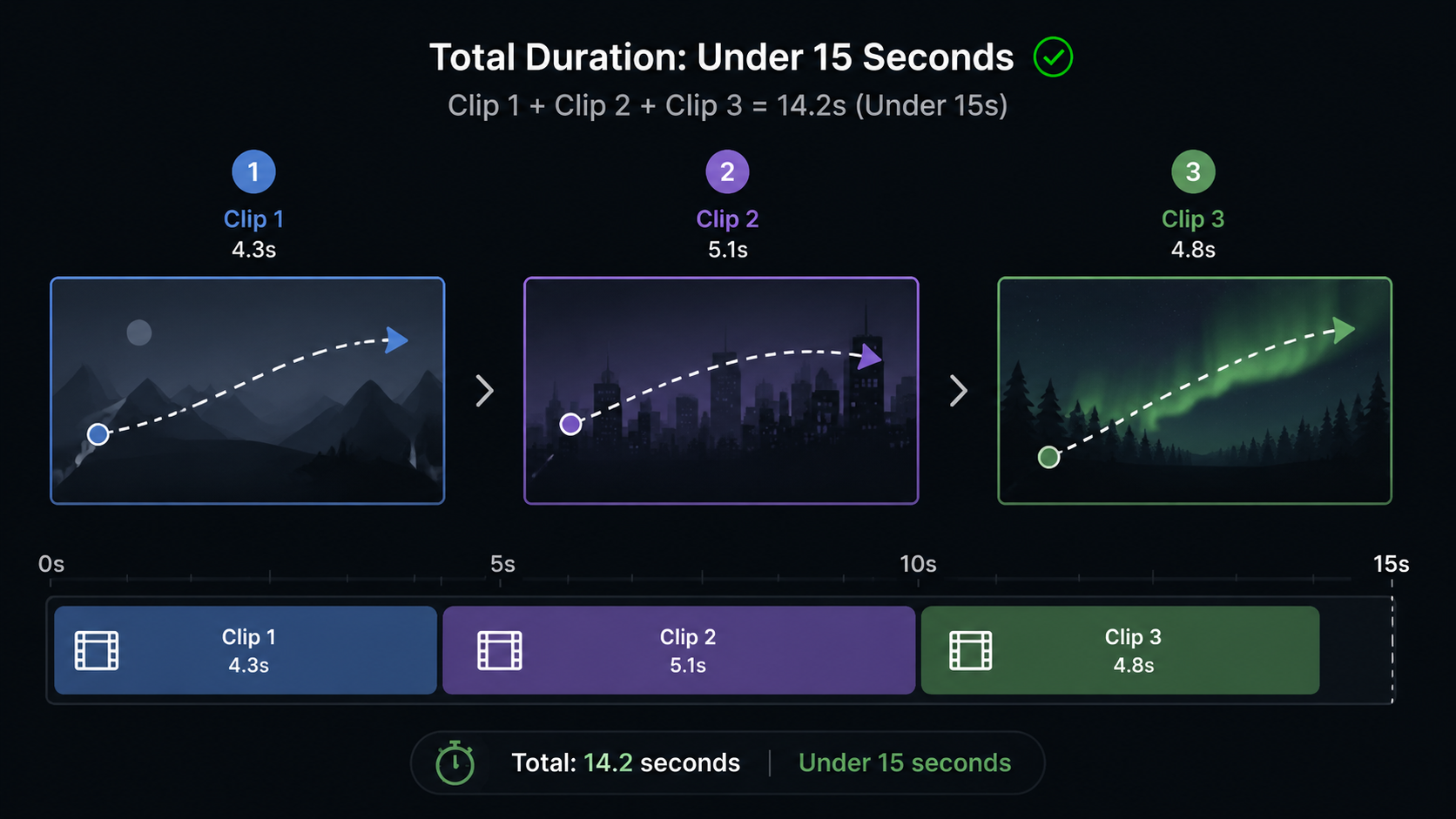
Short, clear motion clips
Use 1–3 tight clips under 15 seconds total. Simple camera paths and readable motion are easier to follow than busy long takes. Trim before upload.
 Yinatrix
AI Tools / Video
Guide a new clip from reference video—not still first/last frames. Upload 1–3 short reference clips, optionally add images or audio, describe what to keep or change, and generate with Seedance 2.0.
Models
Dashboard → Video to Video loads models from the catalog; today only Seedance 2.0 is supported for this workflow.
Inputs
Video to Video is reference-clip driven. It is not first/last frame animation (Image to Video) and not a 1–9 still board without video (Multi-images to Video).
Reference media
Use 1–3 tight clips under 15 seconds total. Simple camera paths and readable motion are easier to follow than busy long takes. Trim before upload.
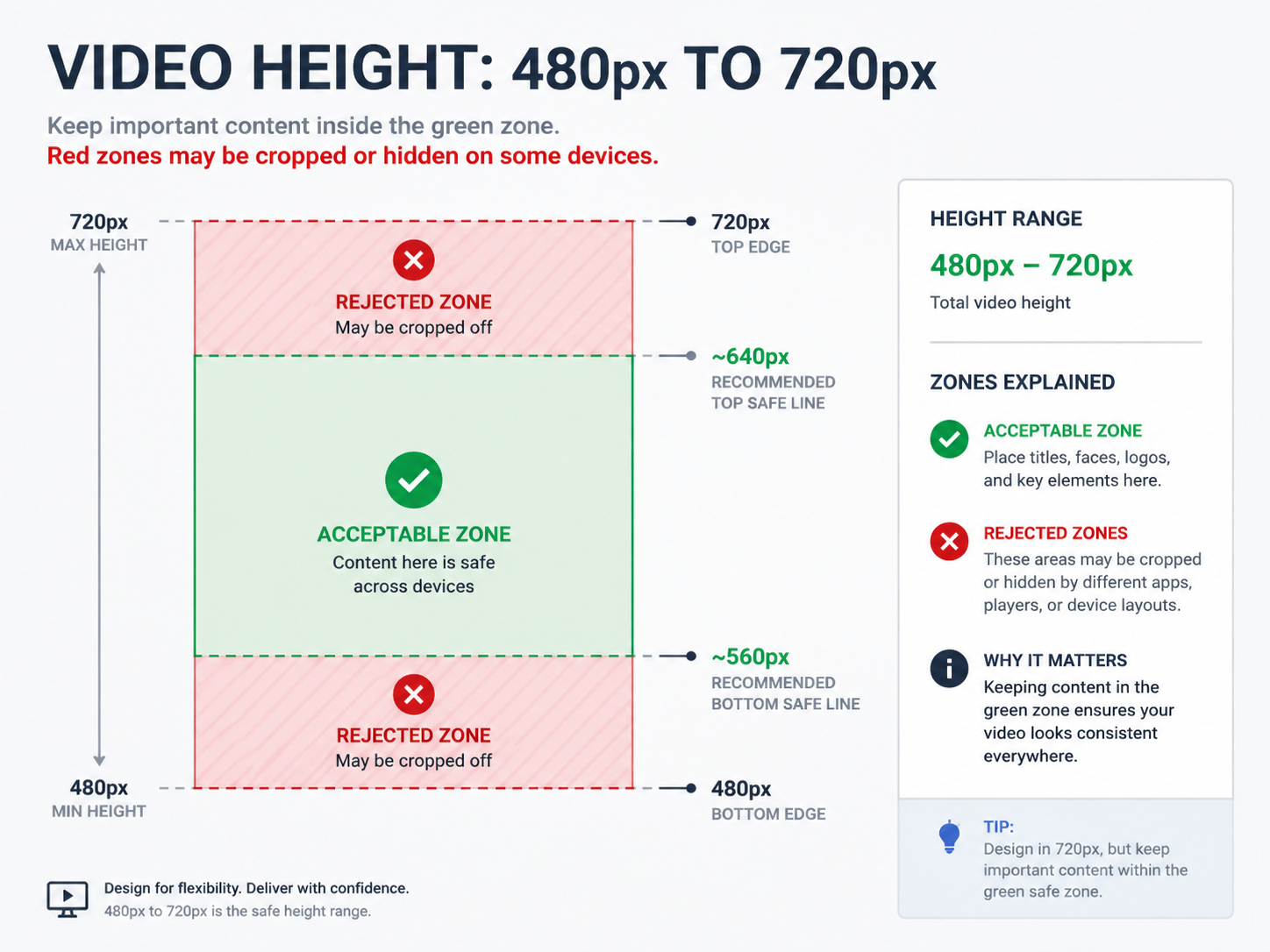
Scale reference video so the shorter dimension is within 480–720px. Portrait 480p–720p is supported. Clips outside this band are rejected with a validation error in the UI.
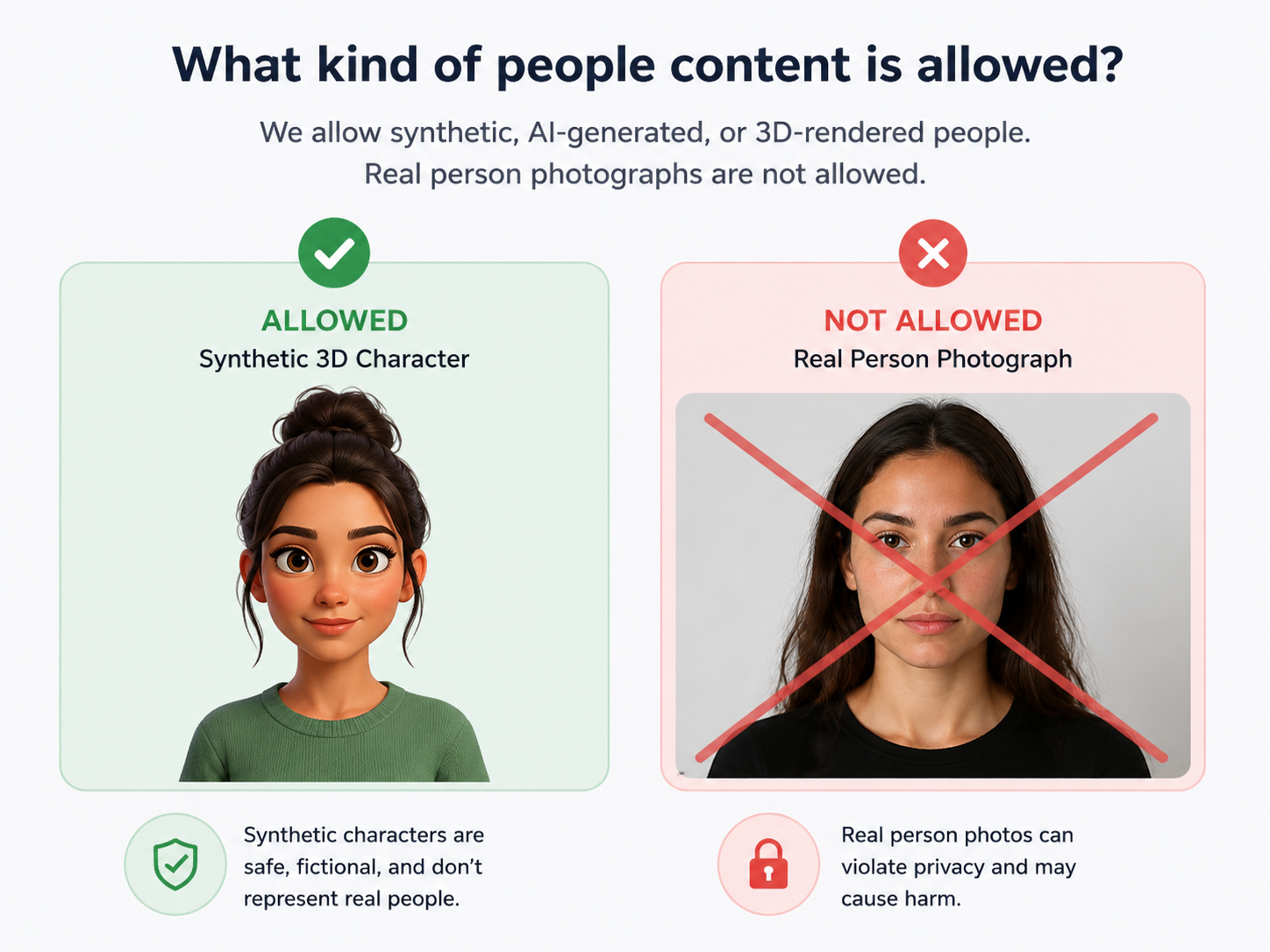
Do not upload reference footage containing real people. Use synthetic, animated, or licensed stock without recognizable individuals.
Prompting
Example: “Keep the dolly path and timing from the reference. Replace the background with a futuristic city at dusk; match lighting on the subject.”
Example: “Preserve character silhouette and walk cycle from reference. Re-render as hand-painted animation with soft brush strokes.”
When you add reference audio, describe how it should influence pacing. For optional stills, name roles: “Outfit colors from reference image 1; environment tone from image 2.”
When to use this tool
Choose this when motion already exists in reference clips and you want a new take—not when you only have one or two still frames.
Prompt blueprint
Examples
Swap in your best reference-guided clips for search trust.
Reference motion preserved; scene replaced via prompt.
Animated re-render of live-action reference move.
9:16 reference timing with new visual treatment.
Reference product move with new studio look.
No. Video to Video requires 1–3 reference video clips. Image to Video uses a required first frame still and optional last frame still—no reference video uploads.
1–3 clips. Combined duration must be at most 15 seconds. Each clip short side must be between 480 and 720 pixels (portrait 480p–720p supported).
No. At least one reference video is required. Optional images (up to 9) supplement the clip—they use image_urls, not first/last frame roles.
Seedance 2.0 only on this tool today.
Check clip count (1–3), total duration (≤15s), short side (480–720px), and content rules—reference footage must not contain real people.
Yes—optional, up to 3 audio clips with combined length ≤15 seconds.
Up to 4,000 characters; around 500 is enough for most shots.
Commercial usage depends on your plan and terms. Review pricing and policies before shipping at scale.
Upload short references, describe keep vs change, and generate with Seedance 2.0.
First & last frame stills—not reference video clips.
1–9 still references without required video clips.
Prompt-only generation with Seedance 2.0 or VEO 3.1.
Multimodal video model powering this workflow.
Rules for reference media including real-person restrictions.